Unlock the Power of the Programmer’s Playground
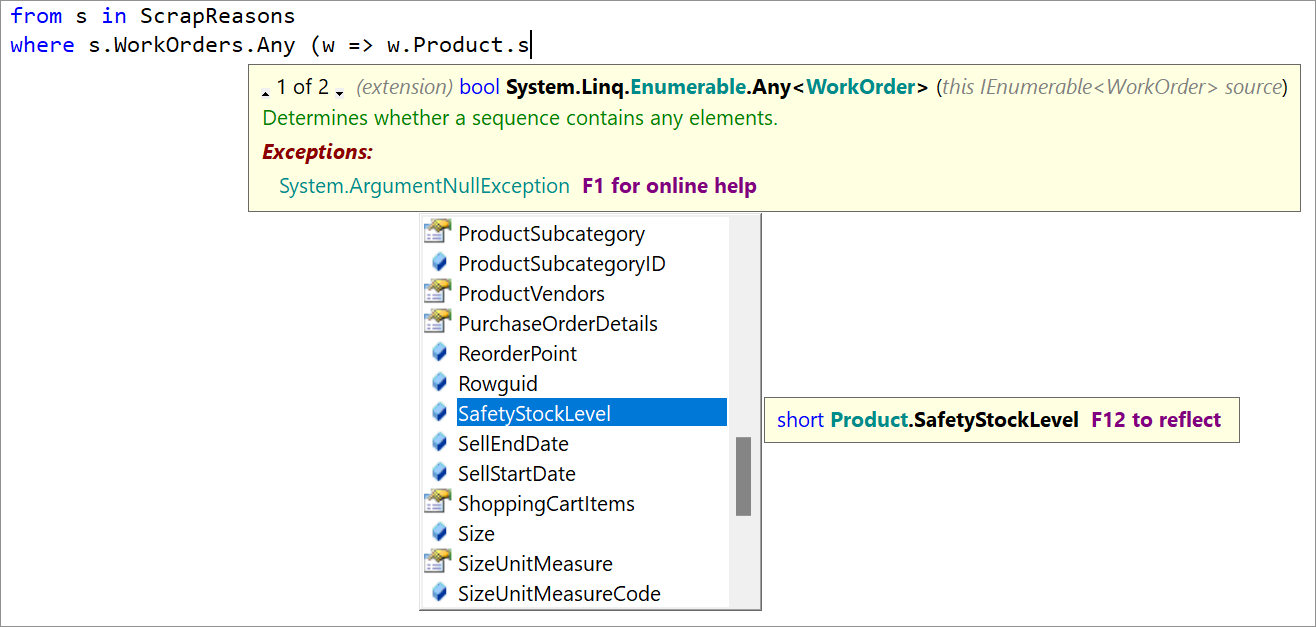
LINQPad's autocompletion includes everything that you depend on:
- Completion and filtered member lists
- Parameter listing
- Quick info
- Code outlining
- Smart tags for code fixes and refactorings (C#/VB)
- Code formatting (C#/VB)
Autocompletion works not only with LINQ queries, but the entire C#/F#/VB language. LINQPad 9 also supports autocompletion with SQL queries.
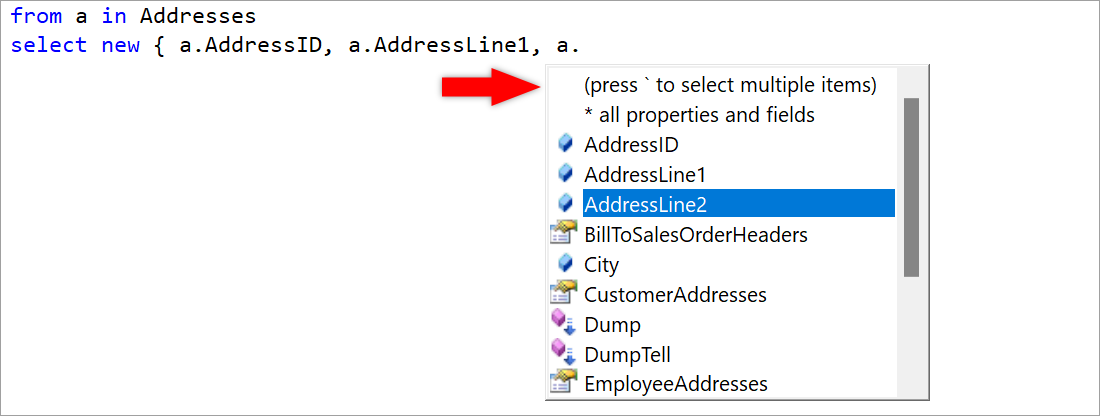
LINQPad’s unique Power-Tick lets you select multiple properties, when creating anonymous types in C# or VB, without closing the popup. This is a massive time-saver.

When you enter an unresolved type or extension method, LINQPad offers a smart tag to import the namespace. And you don’t have to get the casing correct!
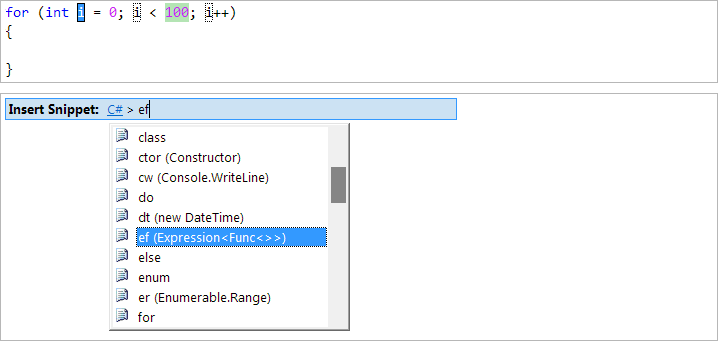
Access your favorite Visual Studio C#/VB code snippets, plus a dozen unique
high-productivity LINQ snippets — as well as any custom snippets that you define.
Custom snippets can also include namespace imports, assembly references and NuGet package references.
So you can set up an entire environment with just a few keypresses.
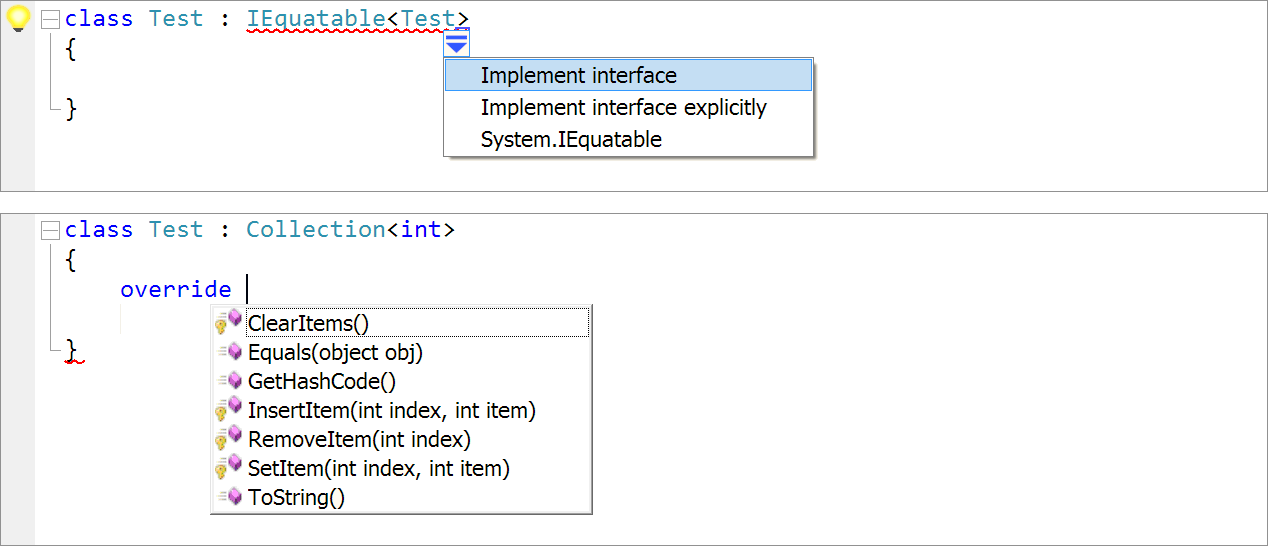
The premium edition includes more than 50 code fixes and refactorings, including override method, implement interface/abstract class,
and convert to raw string to boost your productivity.
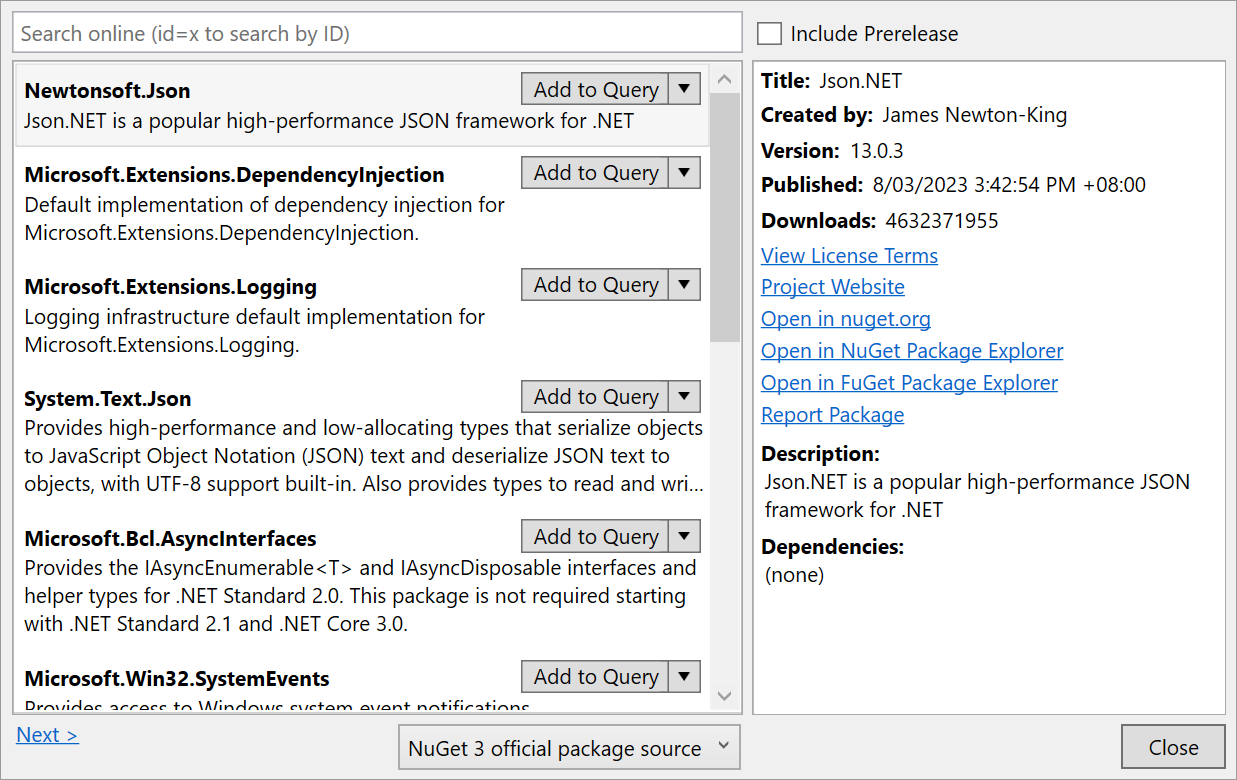
LINQPad's integrated NuGet Package Manager puts the entire NuGet ecosystem at your fingertips.
LINQPad's local package cache ensures that you don't have to download a package again to use it in another script.
You can even save package references to a code snippet, to recall them in a few keystrokes.
For your security, LINQPad checks packages for published vulnerabilities in the background and warns you when a potential issue is detected.
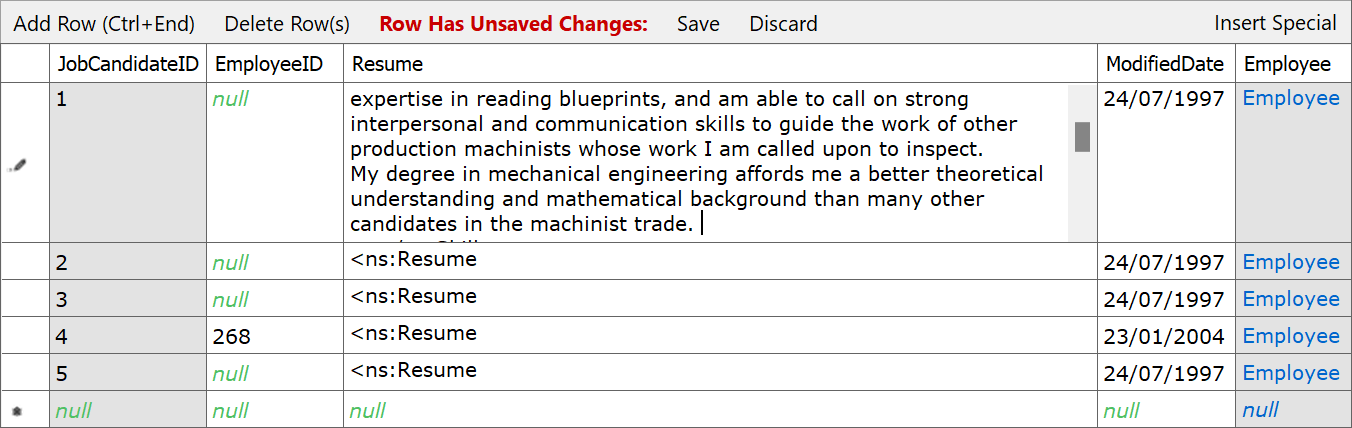
Open database tables for editing, and save changes back to the database.
This feature works with SQL Server/Azure, SQLite, MySQL, Postgres and Oracle.
The Premium edition also includes the ability to write cross-database queries — just control+drag additional databases
from the Schema Explorer onto your script!
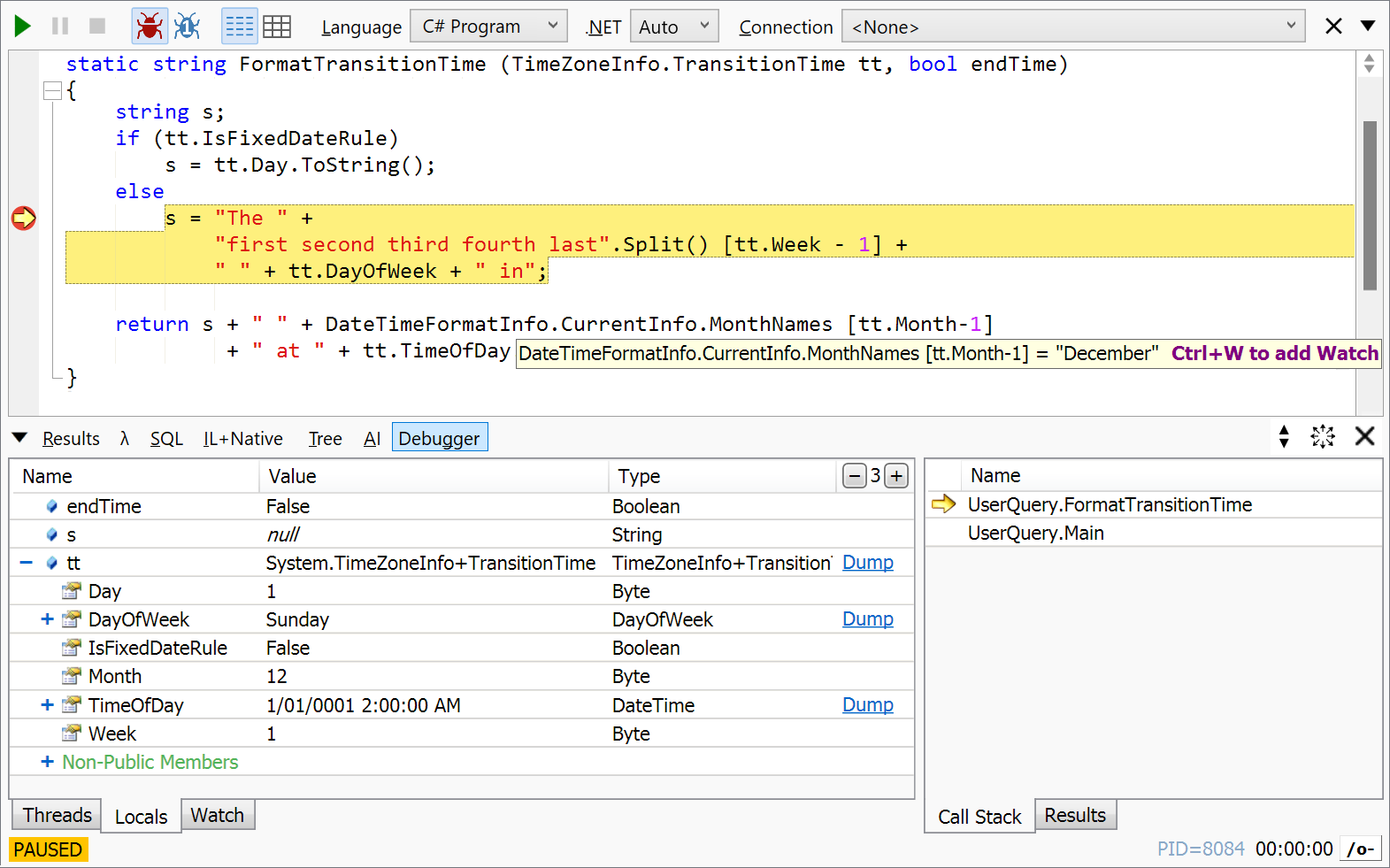
The Premium edition includes an integrated lightweight debugger. Single-step through your scripts,
set breakpoints, and examine local variables! The debugger works with C#, VB and F# and can debug
multi-threaded and asynchronous code.
LINQPad's debugger is unique in being fully asynchronous, so it never freezes under any conditions.

Best of all, the Premium edition includes advanced opt-in AI integration that works with a
provider of your choice - or any custom endpoint. Github Copilot accounts are also supported, and a fully embedded Claude Code is just a click away!
Included is an advanced smart coding agent, interactive chat, and AI-based completion.
The agent can answer questions, write new code, and refactor existing code with red/green diffing.
LINQPad uses its compiler to check the agent's output for errors, and feeds any issues back to the model
to fix before posting. The agent has access to over 500 samples, so it knows LINQPad inside out!
LINQPad's chat window can work with the editor, or function independently as a prompt engineering tool,
with no connection to coding or LINQPad.
Each conversation is fully rewritable, with total control over the system prompt.
Write and test prompts for your own applications, and compare multiple versions.
You can even create custom templates.
LINQPad's AI supports all the latest models and all reasoning levels. Choose between low, medium or high, depending on the difficulty of the task.

The premium edition also includes an advanced AI-powered SQL to LINQ conversion tool.
The tool performs a deep schema-aware translation, using association properties and all supported LINQ constructs, creating a clean translation that follows best practices and avoids unnecessary repetition.
LINQ-to-SQL and Entity Framework Core are both supported, with SQL Server, PostgreSQL, SQLite and MySQL.
All AI features in LINQPad are opt-in. No data is sent to AI unless you explicitly activate a provider.
Perpetual Fallback License
A Perpetual Fallback License guarantees your permanent right to use the specific LINQPad versions covered by your purchase.
Your license has no expiration date, and you'll never be forced to buy updates to maintain access to your licensed versions.
Additional payment is required only if you choose to upgrade to a newer major version release.
Minor updates are free, so the upgrade from 9.1 to 9.2, for example, is free.
You’re in Good Company
More than 50,000 customers use a paid edition of LINQPad, including 30 Fortune 100 companies and four of the world’s largest banks.
The biggest corporate user is Microsoft, who have also been instrumental in helping with the product. The free edition has been
downloaded more than 5 million times.
LINQPad is written and maintained by Joe Albahari, author of C# in a Nutshell.
Joe is a long-time conference speaker, and has received 15 Microsoft MVP awards.